


Start Selling with LaunchMyStore Today
Start your online business today and get everything you need to build, manage, and grow your online store.


EmailWish Review 2026: Done-for-You Email Marketing for Online Stores
 James Crawford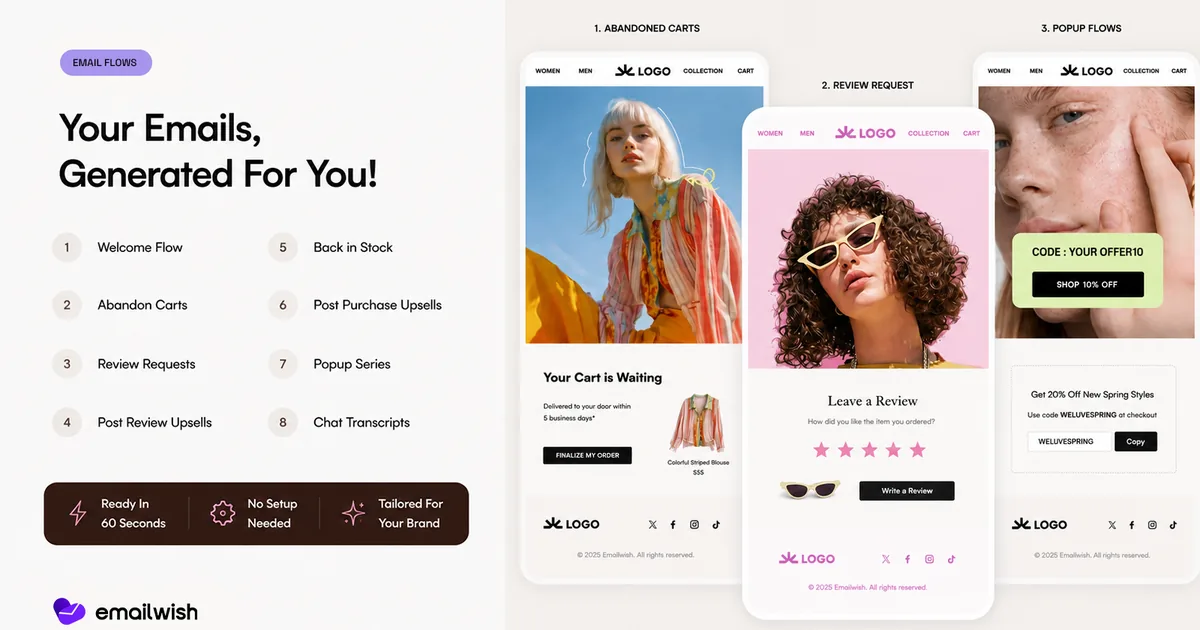
Start your online business today.
For free.
Start for freeEmailWish is an all-in-one email marketing app for online stores that sets up your email flows for you. It generates welcome, abandoned cart, post-purchase, review, back-in-stock and win-back automations from your brand's own images and style, and adds popups, forms, product reviews, live chat and wishlists in the same app. There is a free plan with 1,000 email credits a month; paid plans start at $35/month.
- Done-for-you flows: EmailWish writes and designs the core automations for you, tailored to your brand, so you don't start from a blank builder.
- One app instead of five: reviews, popups and forms, live chat, wishlists and back-in-stock alerts are built in.
- Room to customise: a detailed flow and email builder is there when you want to change what was generated.
- Free to start: 1,000 email credits a month on the free plan, then $35, $100 or $1,000 a month as you grow.
- Best for small teams that want proven automations running quickly without hiring an email specialist.
What Is EmailWish?
EmailWish is an email marketing and customer engagement app for ecommerce brands. Its main idea is simple: most store owners know they should have a welcome series, abandoned cart reminders and review requests, but writing and designing every email is the part that never gets done. EmailWish generates those flows for you, using your brand's images, language and style, and lets you edit anything afterwards.
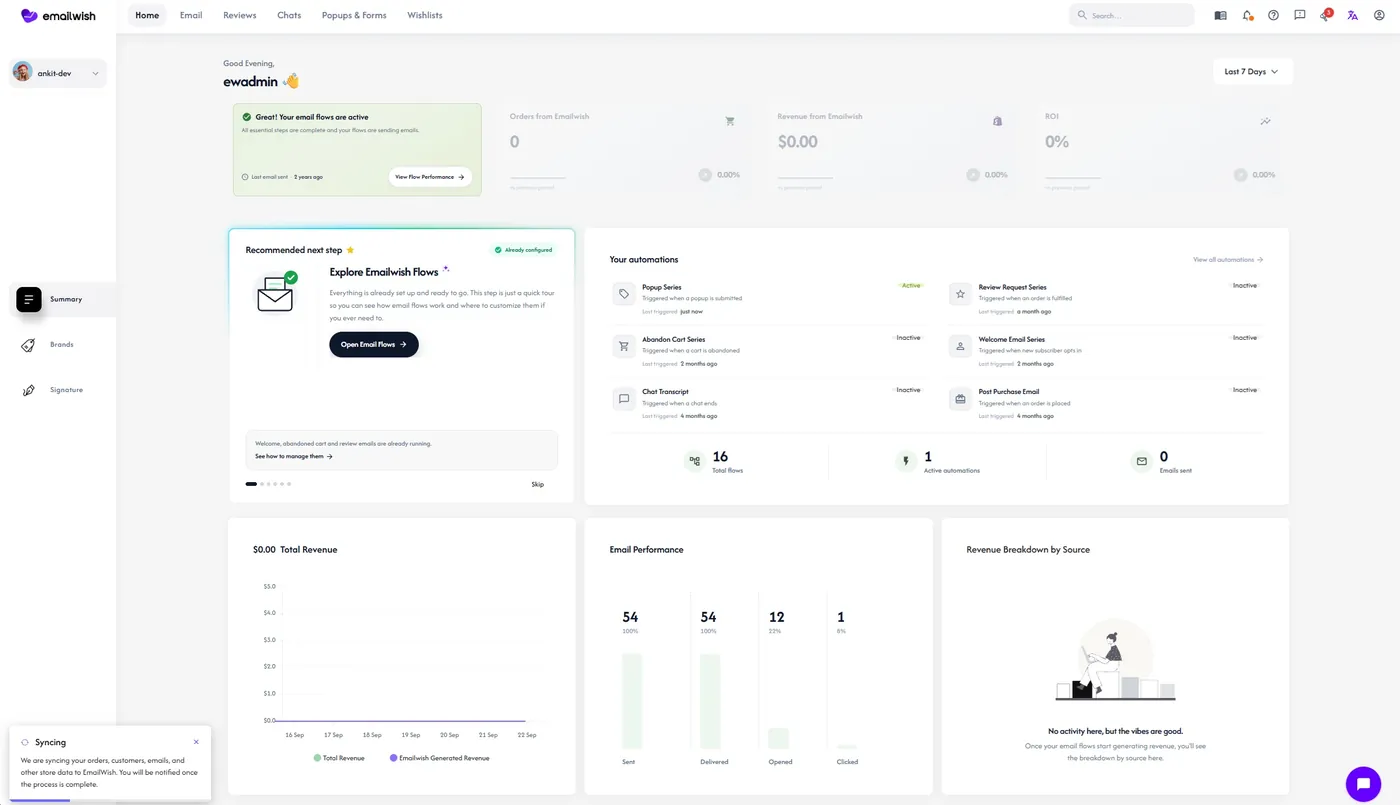
It also brings the tools that usually sit in separate apps into one place: product reviews, popups and forms, live chat and a chatbot, wishlists and back-in-stock notifications. Everything shares the same customer data, so a review request, a popup signup and a chat conversation all feed the same profiles and segments. The app supports over 10 languages.
How Does EmailWish Set Up Your Email Flows?
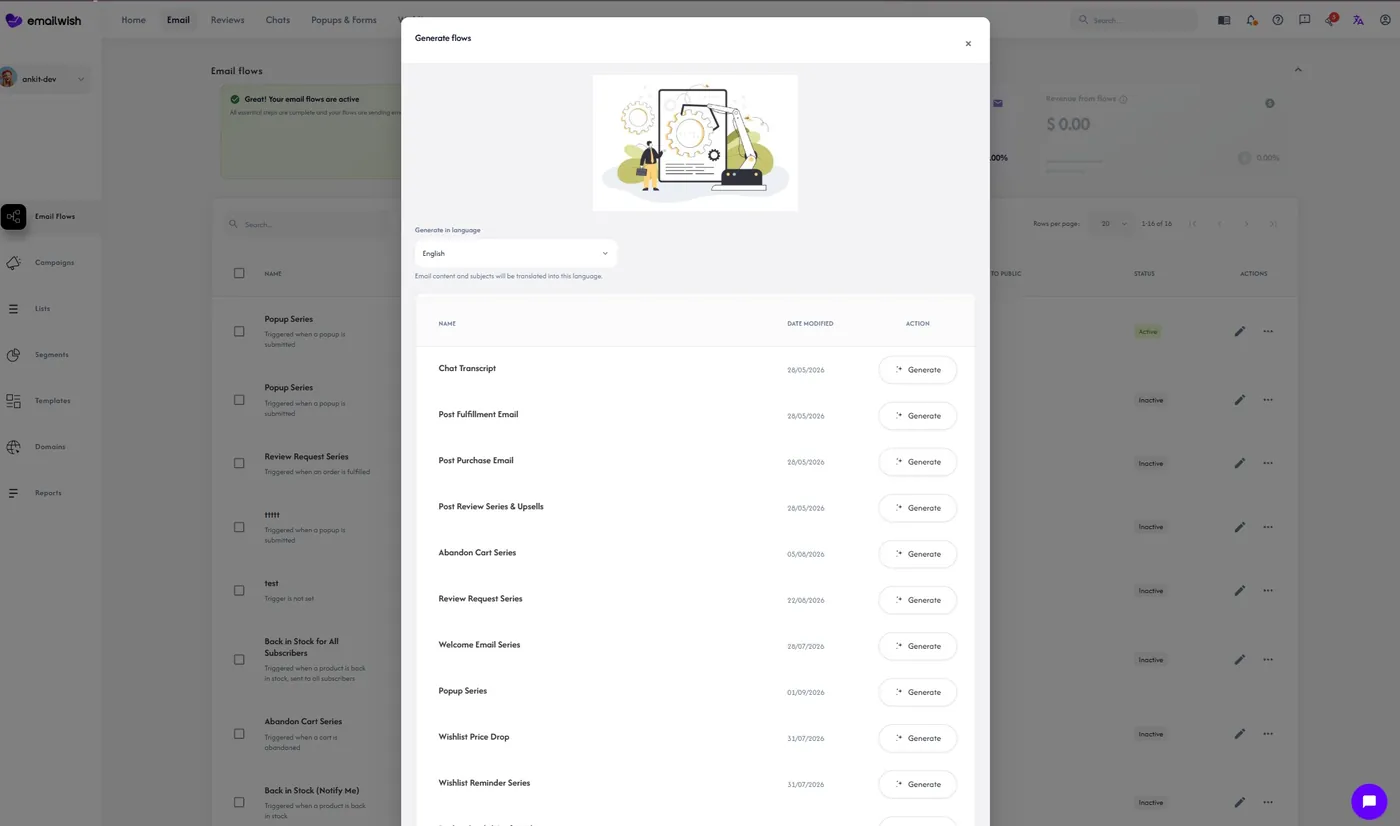
Instead of asking you to design automations one by one, EmailWish generates a starter set of flows tailored to your store. Setup is quick because much of what it needs is filled in for you: during signup, details such as your store name, social media profiles, email address and physical address are fetched automatically, so the generated emails already carry the right footer, links and branding.
The flows it can set up for you include:
- Welcome flow for new subscribers, with your brand story and a first-order incentive.
- Abandoned cart reminders that show the exact products left behind.
- Review requests after delivery, plus post-review upsells to happy customers.
- Post-purchase upsells and cross-sells.
- Back-in-stock and wishlist alerts.
- Popup series follow-ups and chat transcripts.
- Win-back emails for customers who have not ordered in a while.
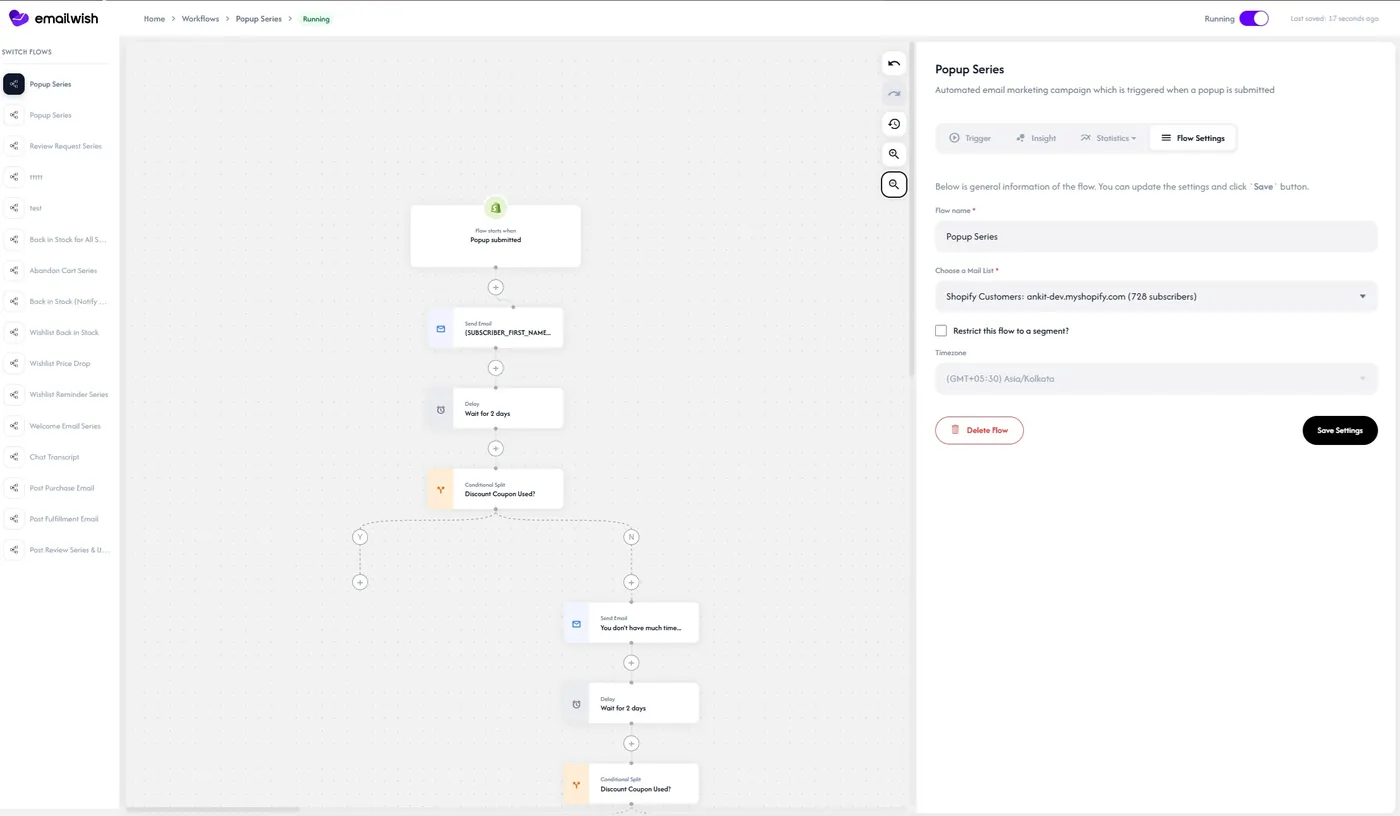
When you want more control, the flow builder lets you change triggers, delays, conditions and branches, and the email builder lets you edit every block. You can start with what was generated and refine it as you learn what works for your customers. If you are deciding which flows matter most, our guide to ecommerce email marketing flows covers the benchmarks for each one.
What Else Is Built Into EmailWish?
Campaigns and Newsletters
Campaigns can be created without writing anything yourself, while still leaving you free to write your own. Advanced targeting and mature customer segmentation let you send to the right group, for example repeat buyers, customers who browsed a category, or subscribers who have not opened in 90 days, instead of blasting the whole list.
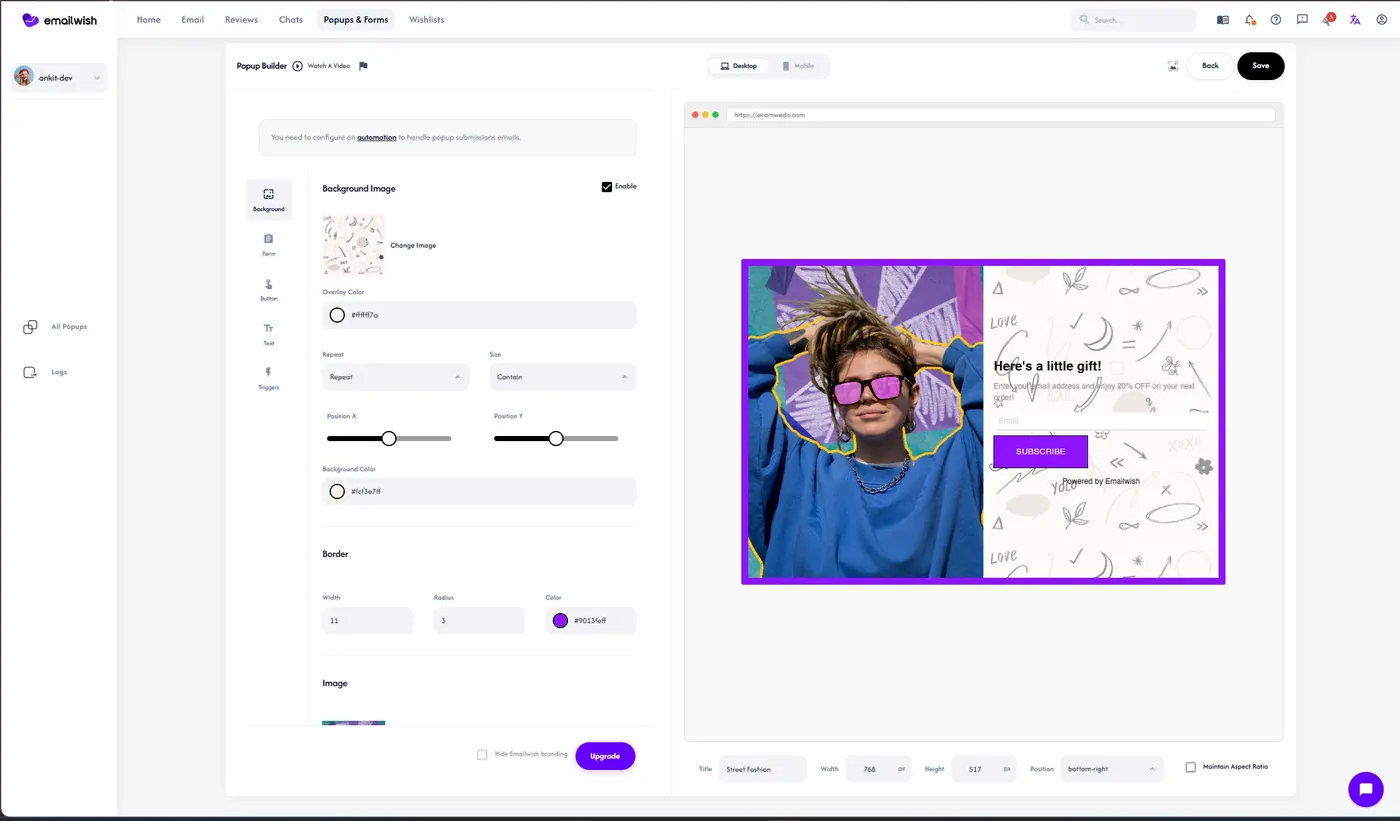
Popups and Forms
Lead capture lives in the same app as the emails it feeds. You can design popups and embedded forms, then connect them straight to a welcome flow. For timing and offer ideas, see our guide to popups that convert visitors.
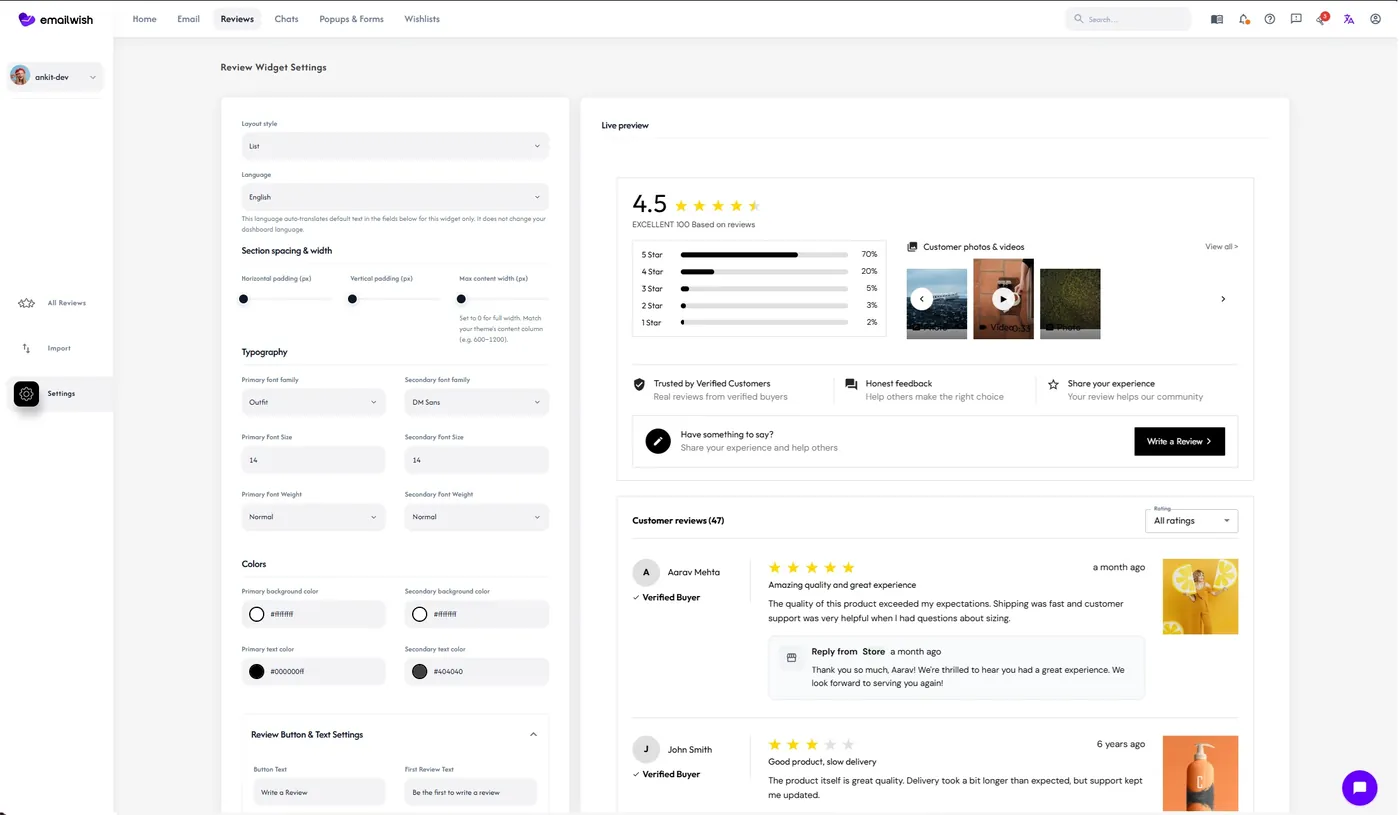
Product Reviews
Reviews are collected through automated review requests and shown on your product pages, so you don't need a separate reviews app. Social proof is one of the strongest conversion levers a store has; our article on product reviews and trust explains why.
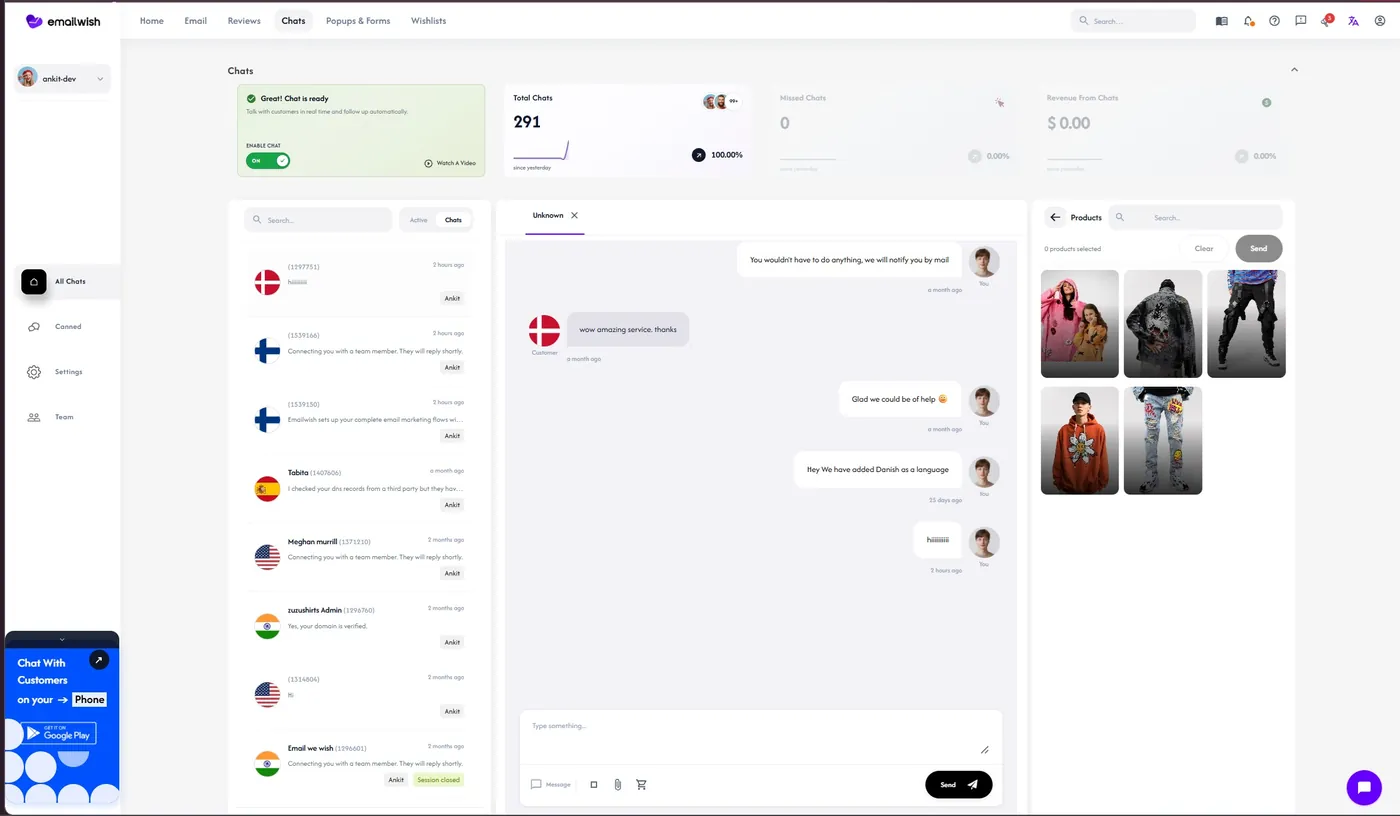
Live Chat and Chatbot
A live chat inbox and chatbot answer pre-purchase questions on your store, and conversations are saved against the customer profile, so a chat can trigger a follow-up email later.
Wishlists, Back-in-Stock and Analytics
Shoppers can save products to a wishlist and ask to be told when an item is back, and both feed automated emails. Analytics and campaign reporting show what each flow and campaign earns.
How Much Does EmailWish Cost?
EmailWish prices by email credits, and every plan includes the done-for-you flows:
| Plan | Price | Email credits |
|---|---|---|
| Free | $0 | 1,000 a month, with done-for-you flows, live chat, popups and forms, and reviews |
| Launch | $35/month | 10,000 |
| Growth | $100/month | 50,000 |
| Enterprise | $1,000/month | 480,000 |
Because reviews, popups, chat and wishlists are included, compare the price against the total of the separate apps you would otherwise pay for, not against an email tool alone.
EmailWish Pros and Cons
Pros
- Fastest route from zero to working automations: flows are generated for you, tailored to your brand.
- Replaces several apps: reviews, popups and forms, live chat, wishlists and back-in-stock alerts.
- Detailed flow and email builders when you want full control.
- Advanced segmentation and targeting for campaigns.
- Generous free plan and support for over 10 languages.
Cons
- Credit-based pricing means high-volume senders should estimate their monthly sends before choosing a plan.
- If you already run separate reviews, chat and popup apps you are happy with, you will get the most value by moving them into EmailWish rather than running both.
Who Is EmailWish Best For?
EmailWish suits ecommerce merchants who want the essential email automations live without spending weeks designing workflows, writing every email, or connecting several separate customer-engagement apps. It is particularly useful for smaller teams and store owners who want an all-in-one approach to email, reviews, popups, forms and chat. If you sell on Shopify, start with its Email marketing for Shopify page.
How Do You Get Started With EmailWish?
- Sign up on EmailWish and connect your store. Your brand details are fetched automatically.
- Review the generated flows: welcome, abandoned cart, post-purchase, review request and win-back, and switch on the ones you want.
- Add a popup or form so new subscribers enter your welcome flow, and grow the list with the tactics in our guide to building an email list.
- Turn on reviews and chat if you want them in the same app.
- Check analytics after two to four weeks and refine the flows that earn the most. Abandoned cart is usually the first to optimise; our guide to reducing cart abandonment pairs well with it.
Frequently Asked Questions
Is EmailWish free?
Yes, there is a free plan with 1,000 email credits a month that includes done-for-you flows, live chat, popups and forms, and reviews. Paid plans start at $35 a month for 10,000 credits.
Does EmailWish write the emails for me?
Yes. EmailWish generates your core flows and campaign emails using your brand's images, language and style, so you can launch without writing anything. You can still edit every email and flow in its builders.
Can EmailWish replace my reviews, popup and chat apps?
For most small and mid-sized stores, yes. Product reviews, popups and forms, live chat with a chatbot, wishlists and back-in-stock notifications are all built in and share the same customer data as your emails.
Which platforms does EmailWish work with?
EmailWish is built for ecommerce stores and works with Shopify and WooCommerce, using your customer and order data to power its flows and segments.
Does EmailWish support multiple languages?
Yes, EmailWish supports over 10 languages, which helps stores that sell across borders send emails in their customers' language.
Written by
James Crawford
Ecommerce Specialist at LaunchMyStore. Helping online businesses scale with data-driven strategies and the latest ecommerce best practices.
 Keep Reading